

DRM-X 5.0 Features
Flexible Rights Management
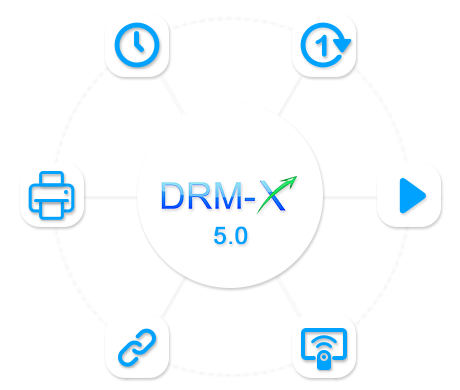
With DRM-X 5.0 license profiles and rights control, you can configure expiration time, number of opens, playback rights, printing rights, device binding, and remote license revocation. This helps reduce account sharing, unauthorized access, and content misuse across subscription, pay-per-view, corporate training, membership, publishing, and internal distribution scenarios.
License Rights Controls
Expiration Control
Precisely configure license start time and expiration time down to the second. License validity can be flexibly configured by year, month, day, hour, minute, or second.
Open/Play Count
Restrict the total number of times users can open protected files (including refreshes) after obtaining a license, while also controlling audio and video playback authorization. A value of -1 means unlimited access.
Disable VM / Wireless Cast
Prevent protected content from running in virtual machines such as VMware and Microsoft Virtual PC. Block wireless casting technologies such as AirPlay and Miracast to reduce recording and content leakage risks.
Document Protection Settings
For PDF and HTML, DRM-X 5.0 supports printing rights control, including allowing or disabling printing, limiting the number of prints, disabling virtual printers, and allowing printing only through physical printers.
Security Settings
Run ZJGet as Administrator
Only One Display Allowed
Smart Prevent Screen Recording
Watermark Settings
Random Static Watermark
Diagonal Dynamic Watermark
Full-Screen Random Watermark
Rights Settings in Detail
Begin Date
The license activation date. Protected content cannot be opened or played before this date. This is suitable for scheduled content publishing, pre-sale courses, or timed content release scenarios.
Expiration Date
The license expiration date. After expiration, the license automatically becomes invalid and the protected content can no longer be opened. Suitable for subscription-based and time-limited access scenarios.
Expiration After First Use
The license validity period starts counting from the first time the user opens the protected file. The duration can be configured by year, month, day, hour, minute, or second. After expiration, users must obtain a new license to continue accessing the protected content.
Open Count
Restrict the total number of times users can open protected files after obtaining a license, including page refreshes. Setting the value to -1 means unlimited access. Once the limit is reached, the license becomes invalid and users must obtain a new license.
Protect PDF and Web Page Settings
Applicable to encrypted PDF documents and HTML web pages. DRM-X 5.0 allows administrators to configure printing permissions, limit the maximum number of prints (-1 means unlimited), and disable virtual printers by allowing printing only through USB-connected physical printers. This helps prevent users from bypassing protection through "Print to PDF" or virtual printing methods.
User Security Settings
User Hardware Binding
Limit the maximum number of devices that a user account can bind in the "User" settings. Once the binding limit is reached, new devices will no longer be able to obtain licenses, helping effectively prevent account sharing. Content providers can also view detailed device binding records on the user "Binding Information" page.
Revoke User Licenses
Revoke licenses obtained by users at any time and immediately block access to protected content. DRM-X 5.0 supports revoking licenses by license profile or revoking all licenses obtained by the user. This helps content providers improve DRM license management and strengthen digital content security control.
All rights settings can be centrally managed by content providers through the DRM-X 5.0 control panel or automatically updated through XML Web Service integration APIs and custom integration code. Even if protected files are copied to other devices, users must still pass real-time license verification within the ZJGet browser environment before accessing the content, ensuring that rights changes such as license revocation or expiration take effect immediately.
Questions?
Our reps have answers.
Ask about Haihaisoft products, pricing, implementation, or anything else — our highly trained reps are standing by, ready to help.
Contact Us