

DRM-X 5.0 Features
New DRM-X 5.0 Security Architecture
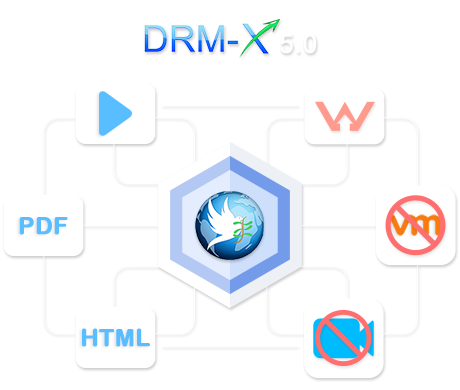
DRM-X 5.0 adopts a brand-new security architecture to further enhance digital content protection. Through advanced encryption mechanisms, comprehensive terminal security control, and deep integration with the ZJGet Secure Browser, it features powerful DRM capabilities such as Smart Prevent Screen Recording, Triple Watermarking, Display Output Restrictions, and Disable Virtual Machines, providing content providers with a superior and robust DRM security experience.
Encryption
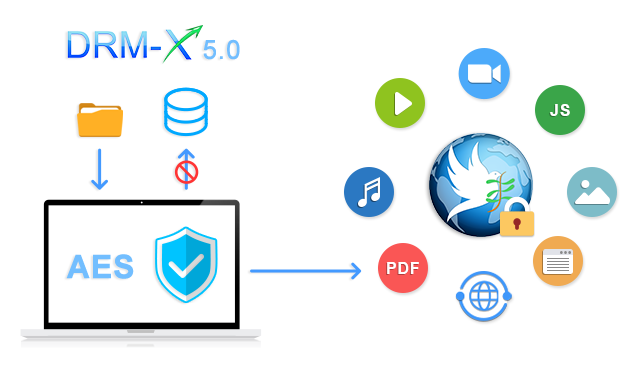
DRM-X 5.0 utilizes industry-standard AES encryption algorithms, combined with advanced license encryption, obfuscation mechanisms, and anti-debugging technologies to build a more secure encryption workflow. When using the ZJGet browser for encryption, the process is completed at high speed on the user's local computer. The encrypted content is never uploaded to DRM-X 5.0 servers, ensuring maximum data privacy for content providers.
DRM-X 5.0 supports a wide range of digital content, including videos, audio, PDF documents, web pages, JavaScript, CSS, and images. It empowers content providers to effectively prevent unauthorized access, copying, screen recording, and piracy distribution.
Protection
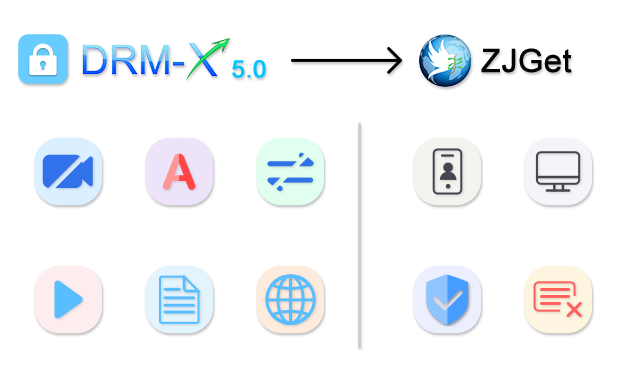
Once protected by DRM-X 5.0, content must be accessed via the ZJGet Secure Browser. Developed based on the Chromium kernel, ZJGet provides excellent Web compatibility and high-performance rendering while establishing a highly isolated and secure runtime environment. Within ZJGet, the use of developer debugging tools is strictly prohibited, and viewing page source code is completely disabled.
DRM-X 5.0 also supports advanced DRM security features, including Smart Prevent Screen Recording, Triple Watermarking, Display Output Restrictions, Multi-Screen Protection, Blocking Wireless Casting, Device Binding, Virtual Machine Detection, and License Revocation, further mitigating the risks of screen recording and piracy.
By combining DRM-X 5.0 with the ZJGet Secure Browser, content providers can establish a more comprehensive and secure digital rights management system for video courses, PDF documents, web content, corporate training materials, and premium membership assets.
Triple Watermark Protection
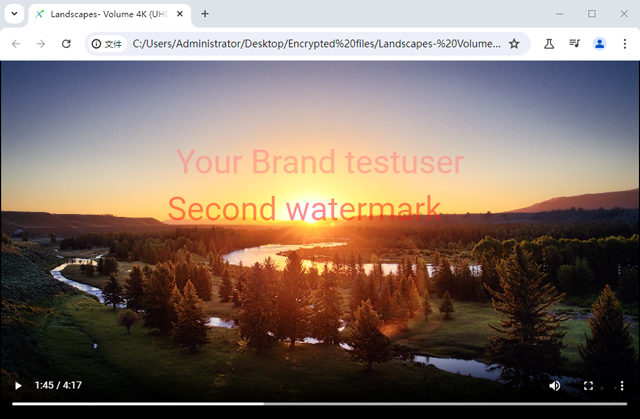
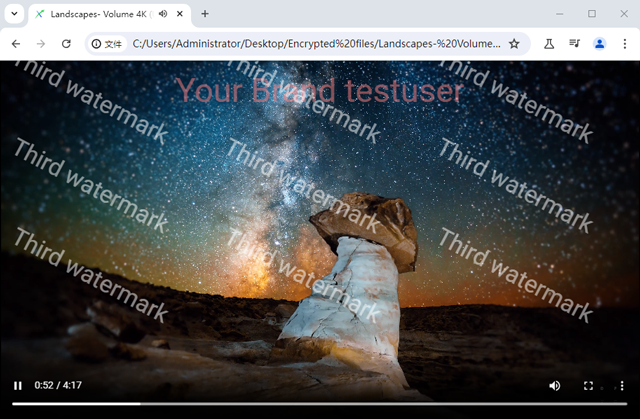
DRM-X 5.0 provides advanced triple watermark protection, including random static watermarks, diagonal dynamic watermarks, and full-screen randomly changing watermarks. These watermark technologies improve traceability after content leakage and reduce the risks of AI watermark removal and piracy distribution.
Watermarks can continuously display user-related information such as usernames, email addresses, phone numbers, or user IDs during playback or viewing. This creates a strong deterrent against unauthorized screen recording, photography, and redistribution while helping content providers quickly identify the source of leaked content.
Smart Prevent Screen Recording
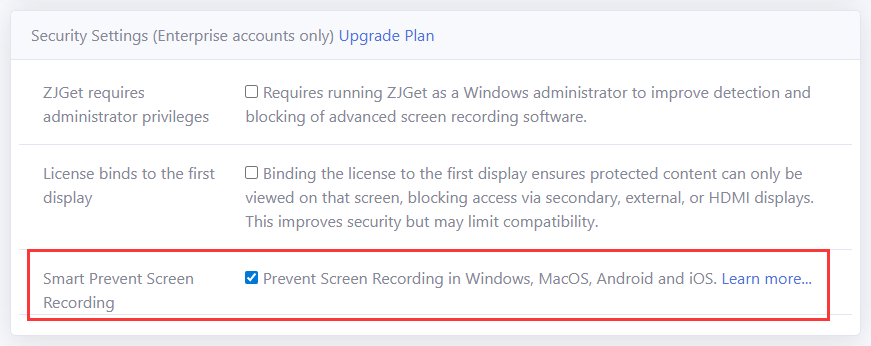
DRM-X 5.0 provides unique Smart Prevent Screen Recording technology that can automatically and effectively detect existing and future screen recording software, helping prevent unauthorized screen recording and reducing piracy risks for video courses, PDF documents, web content, and enterprise materials.
For Windows, DRM-X 5.0 supports Windows Smart Prevent Screen Recording technology. Any screenshot or screen recording software can only capture a black screen. This technology helps content providers effectively block unauthorized screen recording and screenshot behavior on Windows devices.
Powerful Device Binding
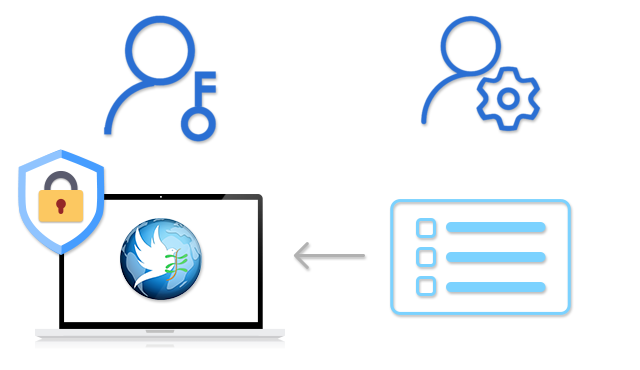
DRM-X 5.0 provides powerful device binding functionality that binds licenses to authorized computers or mobile devices, helping prevent account sharing and unauthorized device access.
Content providers can flexibly configure the number of authorized devices, remove device binding records, and control license rights, helping protect online courses, enterprise training materials, membership content, and digital publishing resources.
Disable Virtual Machines

DRM-X 5.0 supports virtual machine blocking to prevent protected content from running in high-risk environments such as virtual machines, cloud PCs, and remote desktop environments, reducing screen recording and piracy risks.
The system also supports the detection of wireless display extensions and cloud desktop platforms such as Alibaba Elastic Desktop Service, helping content providers build a more secure DRM digital rights protection system.
Revoke Licenses
DRM-X 5.0 supports remote license revocation, allowing content providers to revoke issued DRM licenses at any time. When refunds, account sharing, permission changes, or policy violations occur, you can quickly revoke licenses and immediately stop access to protected content.
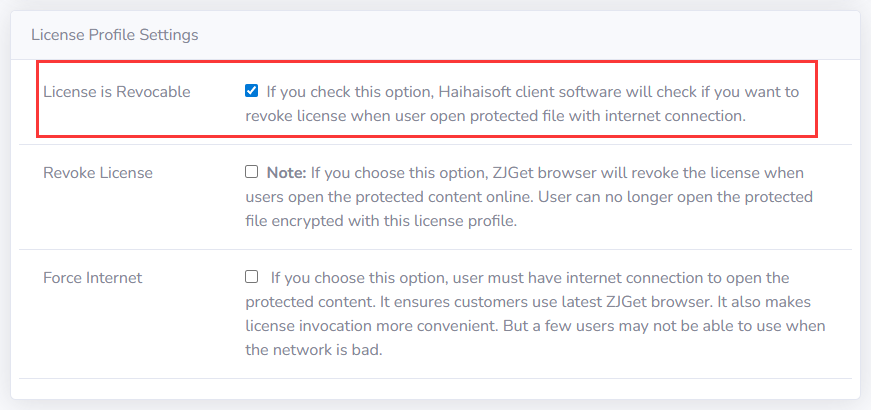
DRM-X 5.0 provides two license revocation methods:
- Revoke License Profile
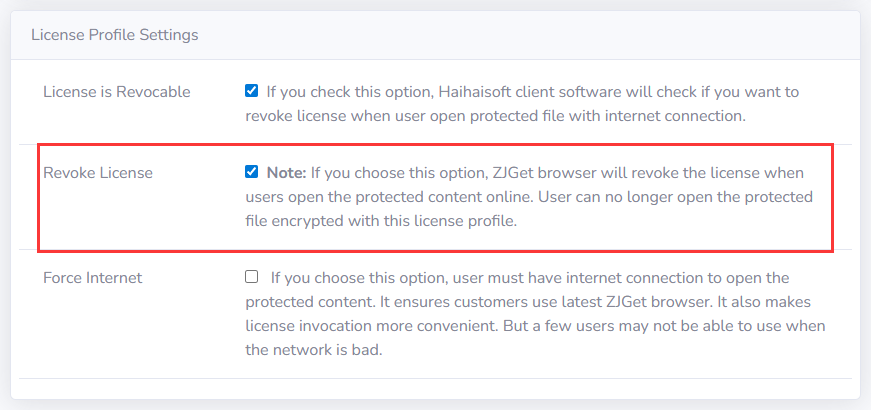
This allows administrators to revoke all licenses issued through a specific license profile at once. It is suitable for scenarios such as course removal, content updates, authorization policy changes, or batch termination of content access.
- Revoke User Licenses
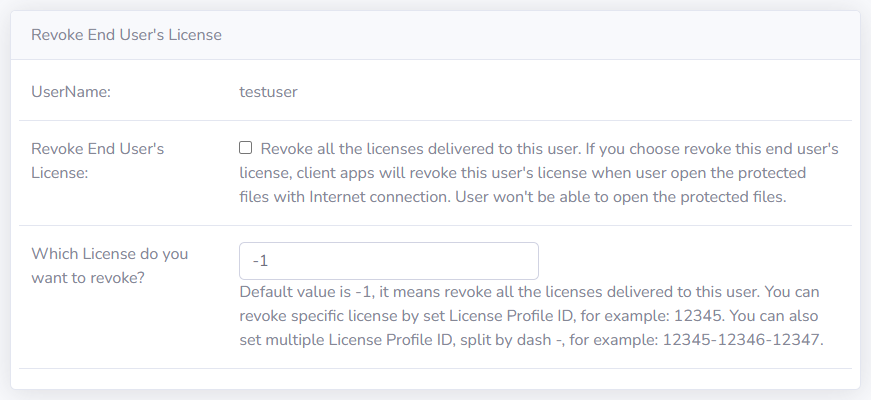
This allows administrators to revoke all licenses obtained by a specific user, or only licenses associated with certain license profile. It is suitable for account sharing control, refund processing, permission management, and policy violation handling.
Questions?
Our reps have answers.
Ask about Haihaisoft products, pricing, implementation, or anything else — our highly trained reps are standing by, ready to help.
Contact Us