
DRM-X 5.0 Features
Smart Prevent Screen Recording
DRM-X 5.0 deeply integrates Haihaisoft's Smart Prevent Screen Recording technology to block unauthorized screen capture and reduce screen recording piracy risks. For high-value video courses, training content, PDF documents, web content, and enterprise materials, it works together with rights control, endpoint detection, and display output restrictions to provide a comprehensive anti-recording protection system.
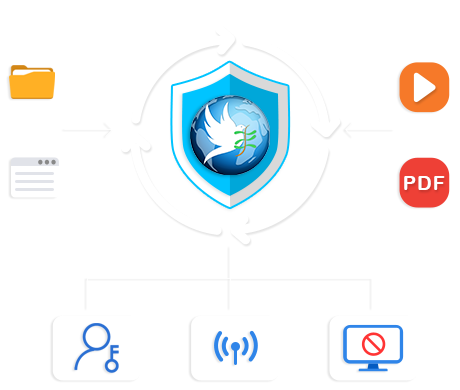
Screen recording piracy is one of the most serious copyright threats faced by industries such as online education, video training, HTML5 courseware, and eBook publishing. Unauthorized users may use screen recording software, screenshot tools, or external capture devices to record protected content and distribute it illegally, causing significant commercial losses to content providers.
DRM-X 5.0 provides industry-leading multi-layer anti-screen-recording solutions, and the software can be updated and upgraded at any time. Core protection methods include:
Smart Prevent Screen Recording — Automatically detects and blocks known and future screen recording tools on the marketBlacklist-Based Screen Recording Prevention — Precisely blocks common screenshot and screen recording software included in the blacklistRun ZJGet as Administrator — Further enhances the detection and blocking capabilities against screen recording software on Windows
Smart Prevent Screen Recording Technology
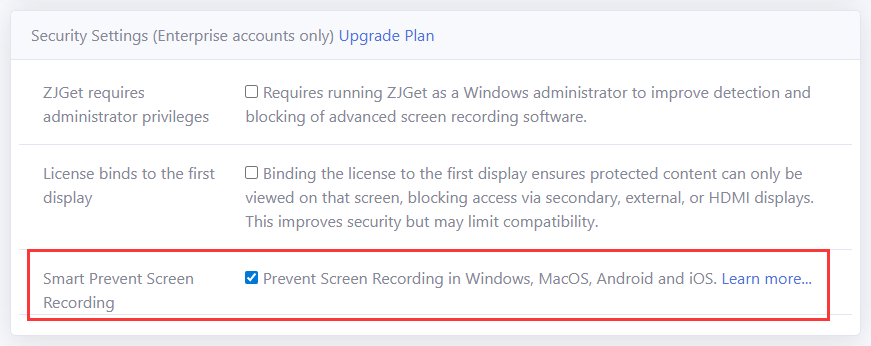
By enabling Smart Prevent Screen Recording Technology, DRM-X 5.0 can automatically detect screen recording software available on the market, including future recording tools that may not yet exist, without requiring manual maintenance of blacklist entries.
Smart Prevent Screen Recording Technology is deeply integrated with the ZJGet Browser and remains active throughout the playback or reading of protected content. It supports all major platforms, including Windows, macOS, Android, and iOS.
To enable this feature, simply turn on the Smart Prevent Screen Recording Technology option under License Permissions in the DRM-X 5.0 Control Panel. No additional configuration is required.
Run ZJGet as Administrator (Enhanced Screen Recording Detection)
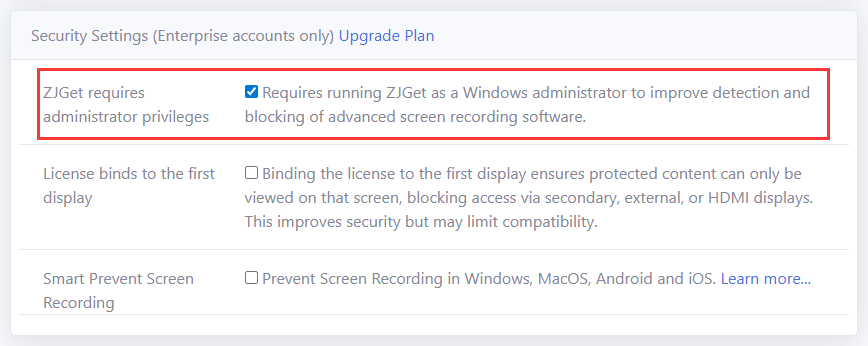
In the Security Settings section under License Rights (available for Enterprise accounts only), you can enable the Run ZJGet as Administrator feature. Running ZJGet with Windows administrator privileges grants higher system-level permissions, thereby enhancing its ability to detect and block screen recording software. This helps block more recording tools that rely on elevated privileges.
This feature is an advanced enhancement of Smart Prevent Screen Recording Technology. It is recommended for Enterprise accounts with higher content security requirements. When used together with Smart Prevent Screen Recording Technology and blacklist-based protection, it provides a higher level of screen recording prevention.
Windows Smart Prevent Screen Recording
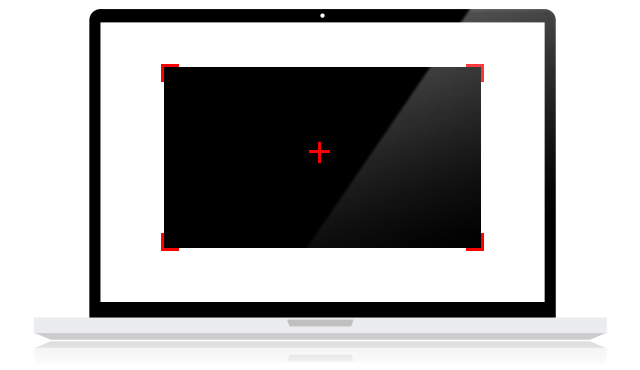
To address screen recording and screenshot piracy on the Windows platform, DRM-X 5.0 provides a newly upgraded Windows Smart Prevent Screen Recording Technology. When most screenshot software or screen recording tools attempt to capture protected content, they can only obtain a black screen instead of the actual content.
DRM-X 5.0 provides Windows Smart Prevent Screen Recording protection for all account types. Enterprise accounts can further enhance detection and blocking capabilities by enabling administrator mode.
macOS Smart Prevent Screen Recording
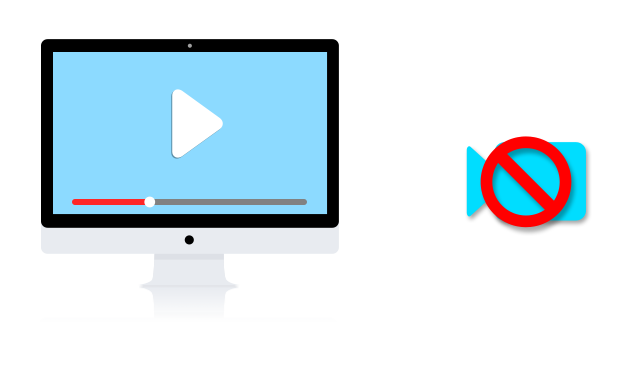
DRM-X 5.0 Smart Prevent Screen Recording supports advanced anti-screen-recording protection on macOS. It can intelligently detect system-level screen recording, screenshot activities, and common third-party recording software in real time, effectively preventing protected content from being illegally recorded or captured.
In addition, the protection mechanism supports continuous expansion and dynamic enhancement. Detection strategies can be rapidly upgraded to respond to newly emerging screen recording tools, further improving content security on the macOS platform.
Android Smart Prevent Screen Recording
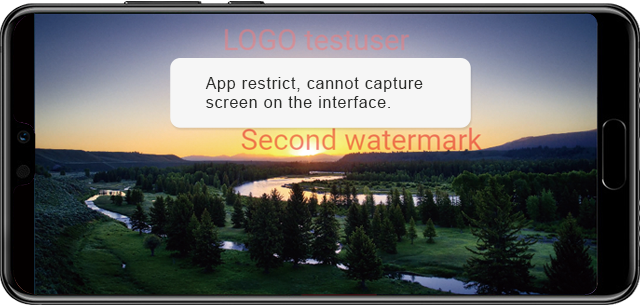
Haihaisoft Smart Prevent Screen Recording Technology also supports Android phones, tablets, and TV devices, effectively preventing protected content from being captured through screenshots, screen recording, or screen casting.
On the Android platform, any screenshots or screen recordings of protected content will display only a black screen. When protected content is cast to a TV or other external display devices, the external display will also show a black screen, effectively protecting digital content from unauthorized capture.
The system can intelligently detect Android system-level screen recording functions and common third-party recording applications, while continuously enhancing protection capabilities to address evolving screen recording threats.
iOS Smart Prevent Screen Recording
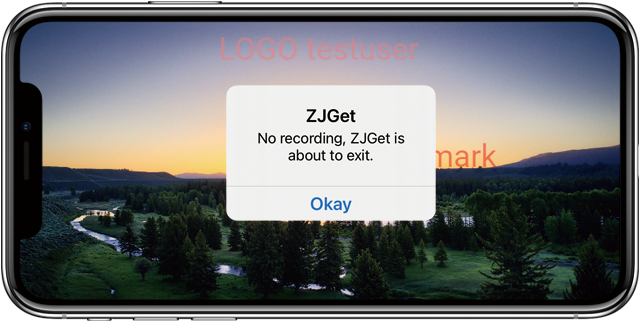
Smart Prevent Screen Recording Technology supports iOS devices, including iPhone and iPad. It can intelligently detect screen recording and screenshot activities, and immediately terminate the content access session once such behavior is detected.
The technology also prevents AirPlay screen casting, stopping protected video content from being streamed to Apple TV or other external devices.
Blacklist-Based Screen Recording Prevention
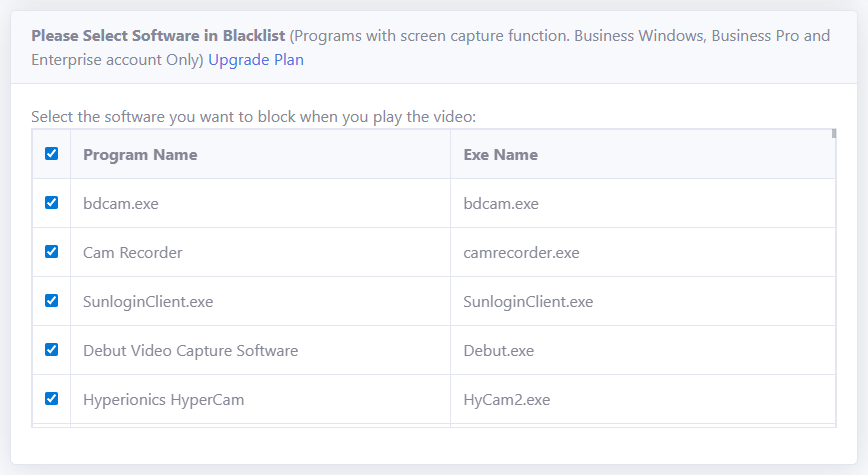
Haihaisoft’s blacklist protection feature can block screen recording software included in the blacklist database, which currently contains nearly 200 commonly used screen recording and screenshot tools from the Internet.
When protected content is being played or viewed, if a blacklisted application is detected running on the device, the system will automatically close the recording software or terminate content access.
Content providers may also submit requests to the Haihaisoft development team to add new recording tools to the blacklist, allowing the protection coverage to continue expanding.
Questions?
Our reps have answers.
Ask about Haihaisoft products, pricing, implementation, or anything else — our highly trained reps are standing by, ready to help.
Contact Us