

Features
Powerful Online Control Panel
In DRM-X 3.0 account, your control panel for protecting, publishing, and selling Audio/Video and PDF documents. You can easily manage all business model, license rights, permissions, users.

User Group
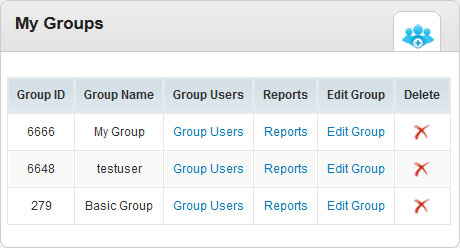
User Group is the category of users. For example, you can classify users by membership, such as Golden Membership and Silver Membership. In the Edit Page of User Group, you will be able to set which License Profile the Group has permission to Access.
Users
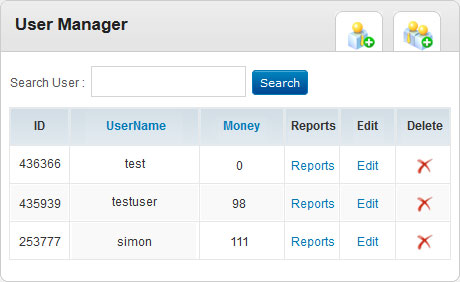
Before you start protecting your files, you need to Create User Group and Users and then set who will have the permission to access your protected files.
Rights
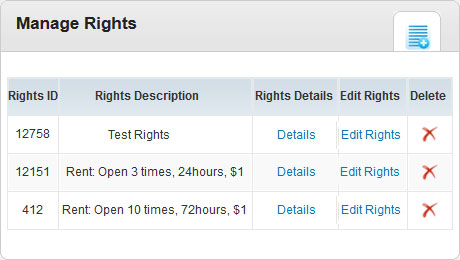
You can control the use of protected content by setting License Rights. All the Rights are for the License Profiles. For example, you can set a Right like this: Can play 10 times and expire on December 31, 2013.
On the left side of My Account panel, please click the Rights link. In the Rights page, you will see two sample rights which DRM-X platform has created for you. Click Edit Rights, you will be able to see rights in details and edit rights settings.
License Profile
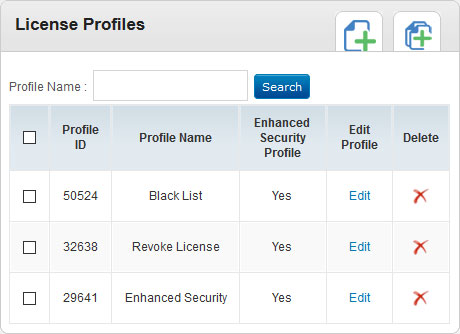
License Profile is an encryption template. Different license profiles are using different license keys. You need to create License Profile which includes at least one License Rights. If you encrypt 2 files with a same License Profile, users will be able to play both of the files after they get one license, for the license they used is same. A License Profile can include multiple rights, so the End Users can choose which license rights they want to acquire.
Reports
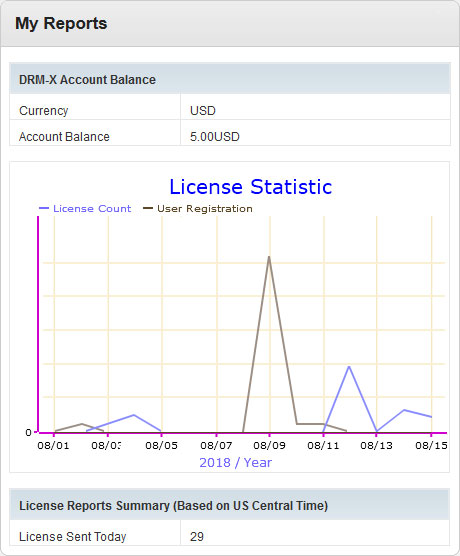
In Reports, you can view DRM-X Account Balance, License Reports Summary, Financial Reports Summary, License Reports Details and Financial Reports Details.
Additionally, in DRM-X 3.0 account, there is a new flash graphical license reports, the content provider can quickly and easily know the license delivery state of selected date range.
Account Settings
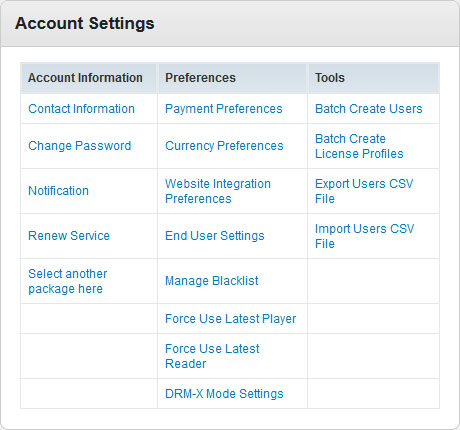
In Account Settings, you can set Account Information, Peferences, Tools.
Questions?
Our reps have answers.
Ask about Haihaisoft products, pricing, implementation, or anything else — our highly trained reps are standing by, ready to help.
Contact Us